
Domain Extensions: What They Are & How to Choose

If you’re starting a new business today, getting your hands on a short, catchy .com domain that perfectly matches your company name can feel similar to finding a cheap apartment in Manhattan. It’s almost impossible. Most of the good .com domains were purchased long ago, and it’s expensive to claim them now.
Here’s the short answer: if a short, memorable .com that fits your business is available (or affordable), grab it — it’s still the most recognized and trusted extension. If it isn’t, choose a relevant, reputable alternative like .co, .shop, or your country code. Google doesn’t penalize newer extensions; every domain is judged on the quality of its content.
The .com habit runs deep, though. The first .com domain was registered on March 15, 1985: symbolics.com. Since then, .com has become the most popular extension (the part after the dot, in this case, .com), with 166.6 million domains registered as of June 30, 2026, per the Domain Name Industry Brief (Q2 2026), followed by .cn, the largest country-code extension.
But with a little creativity, you can still join the .com club with a good domain name. Even if you don’t like the available options, there are hundreds of new domain extensions you can pick from.
Now, how do you know which domain extension is right for your small business? Do you absolutely need a .com at all costs? What about those newer extensions that are specific to different industries? Will a .net or .co get the job done?
Let’s break down everything you need to know to choose the perfect domain extension for your business and find that one special web address to build your business on.
What are domain extensions?
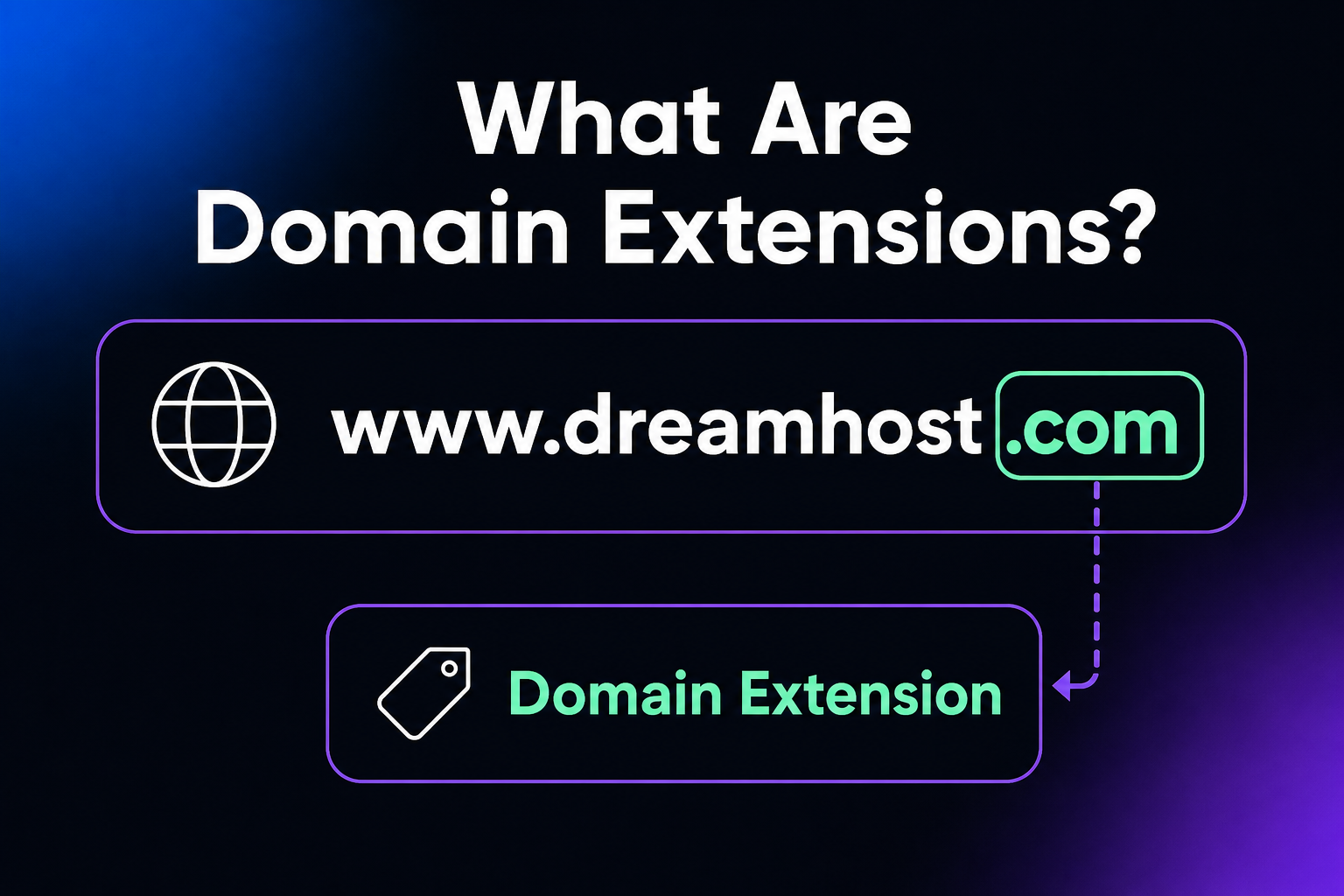
A domain extension, also known as a top-level domain (TLD), is the last part of a web address that follows the final dot, such as the “.com” in dreamhost.com. It sits at the highest level of the Domain Name System (DNS) hierarchy, and it tells visitors (and search engines) something about the site behind the name.
Domain Extension
A domain extension is the part after the period, like .com, .net, or .org. ICANN has assigned over 1,000 different extensions on the internet.
Read More
For example, in www.dreamhost.com, the “.com” is the domain extension, or TLD.
Domain extensions were first introduced back in the 1980s as a way to help organize the rapidly growing number of websites on the young internet. In the beginning, there were only a handful of what are known as generic top-level domains (gTLDs), including .com, .net, .org, .edu, and .gov domains.
Introduction of new TLDs
As the internet expanded, new types of TLDs were gradually introduced.
These included country-code TLDs (ccTLDs), which are two-letter domains representing specific countries or regions, such as .uk for the United Kingdom and .us for the United States.
New generic TLDs (gTLDs) were also eventually added, like .biz, .info, and .name.
gTLD
Generic Top-Level Domains (gTLDs) are the standard Top-Level Domains (TLDs). “.com” is the most popular gTLD, but “.org”, “.net”, and other similar extensions fall under this same classification.
Read More
The organization responsible for managing this system is the Internet Corporation for Assigned Names and Numbers (ICANN). They oversee the Domain Name System, including assigning domain names and IP addresses.
As the internet changes, ICANN periodically introduces new gTLDs.
The 4 types of TLDs
While well over 1,000 TLD options exist (per Wikipedia’s list of internet top-level domains, the IANA root database included 1,593 TLD records as of February 2026, with roughly 1,430 actually delegated), they aren’t all equal. Officially, they fall into four main types:
Brand TLDs are gTLDs operated by individual organizations, such as .google and .apple. You can’t register one through a normal registrar; an organization must apply to ICANN during an application round and qualify to operate the registry.
Even though the newer of these TLDs (or nTLDs for short) are less common than the original legacy TLDs, their introduction has helped create a more organized and user-friendly internet. It’s now easier for people to find domain names they want rather than ones they have to live with. New extensions continue to launch, too; most registrars let you track or pre-register upcoming TLDs before they go live.
nTLD
ICANN consistently releases new proposed TLDs. These new Top-Level Domains, or nTLDs for short, include various options, such as “.agency”, “.bio”, “.charity”, and many more.
Read More
Because the TLDs are specialized now, businesses can pick the domain extensions that are most relevant to their business.
Why is .com still considered the king?
When the internet was young, there were only a handful of TLDs. And .com quickly became the default for businesses. Decades later, it still hasn’t lost its crown.
There’s just something about those three little letters that screams “legitimate business.”
Maybe it’s because .com has been around since the beginning of the internet, or because it’s the extension used by Apple.com, Amazon.com, Google.com, and other mega brands.
So when people see a .com address, they automatically assume it’s an established company they can trust. That instant recognition is invaluable for small businesses still trying to build a reputation. Using a .com extension borrows a bit of that hard-earned legitimacy for yourself.
It’s also easy to remember. When you tell someone your website address, you can just say “MyBusiness.com” and they’ll know exactly where to go. Sometimes, even if someone tells you it’s a .net, you’ll intuitively type .com first.
With newer extensions, there’s a bigger chance your users mistype it or forget the ending completely. That memorability factor can make a real difference in how many people make it to your site.
A short, affordable .com remains the safest first choice. But don’t pay an inflated price or settle for a clumsy name when a clear, reputable alternative fits better.
However, as we’ll get into next, .com’s massive popularity comes with some downsides for those just joining the party.
What are the downsides of .com’s popularity?
The immense popularity of .com domains has some notable drawbacks, especially for new small businesses:
- Less availability: Finding an available, relevant .com domain that matches your business name is increasingly difficult. Most of the short, catchy, industry-specific .coms were purchased long ago. Though, you might get lucky!
- Less memorability: If YourBusiness.com is taken, you might end up with something clunky like YourBusinessNYC.com or GetYourBusiness.com. Such domains with the extra words are tougher for customers to remember and easier to mistype.
- Higher cost: If you find an appealing .com address available only on the domain aftermarket, be ready to spend some extra cash. Short and highly sought-after domain names can go for thousands or even millions on the resale market.
Domain Aftermarket
A domain aftermarket is a secondary marketplace where users can buy and sell domains. These marketplaces are more expensive than registrars because owners use them to sell valuable domains.
Read More
None of this is meant to dissuade you from using a .com if you can get a good one. It’s still the most recognized and trusted domain extension and likely will be for the foreseeable future.
Just remember that it’s not a big deal if you can’t find the perfect name with the .com domain extension.
As John Mueller confirmed in Google’s official July 2015 blog post, “Google’s handling of new top level domains,” Google isn’t biased against new TLDs. New extensions are treated the same as any other gTLD, and keywords in a TLD give no special ranking advantage. All domains are judged on the quality and relevance of their content. So go beyond .com — you might just find the perfect web address in an unexpected place.
How to go about finding the perfect .com domain
If your heart is set on a .com and your first choice is already taken, you can try some alternative, creative names. Here are some ways that businesses get the perfect .com domain:
Expired Domain
Expired domains are previously registered domains not renewed after their registration period. Once expired, the domain and associated services become inactive immediately.
Read More
To hyphenate or not to hyphenate?
Another common tactic is to add hyphens between the words, like Your-Business.com instead of YourBusiness.com.
However, John Mueller, Google’s Search Advocate, notes that hyphenated domains were once seen as less serious, though his advice is to pick a name for the long run, hyphen or not. Still, there are a few practical reasons why you may not see many domains with hyphens in them:
- Hyphens make your domain harder to communicate verbally since you have to say “dash” between each word. Without the hyphens, there’s more chance someone will type it correctly after hearing it.
- Hyphens look a bit spammy and low-quality because some companies use them to capitalize on an existing domain’s traffic.
If you end up with hyphens in your domain, it’s a good idea to register the non-hyphenated version as well if it’s available and redirect it to your main site. That way, you’ll still get the traffic if someone omits the hyphens.
On the plus side, hyphens can make a long business name more readable.
So, are hyphens in domains a bad choice? No. Should you try other options before going for a hyphen? Absolutely.
Alternative domain extensions and where to use them
Consider your use case when picking a domain extension rather than just choosing an available one. Here are some popular alternative domain extensions and the types of businesses they work well for:
.shop
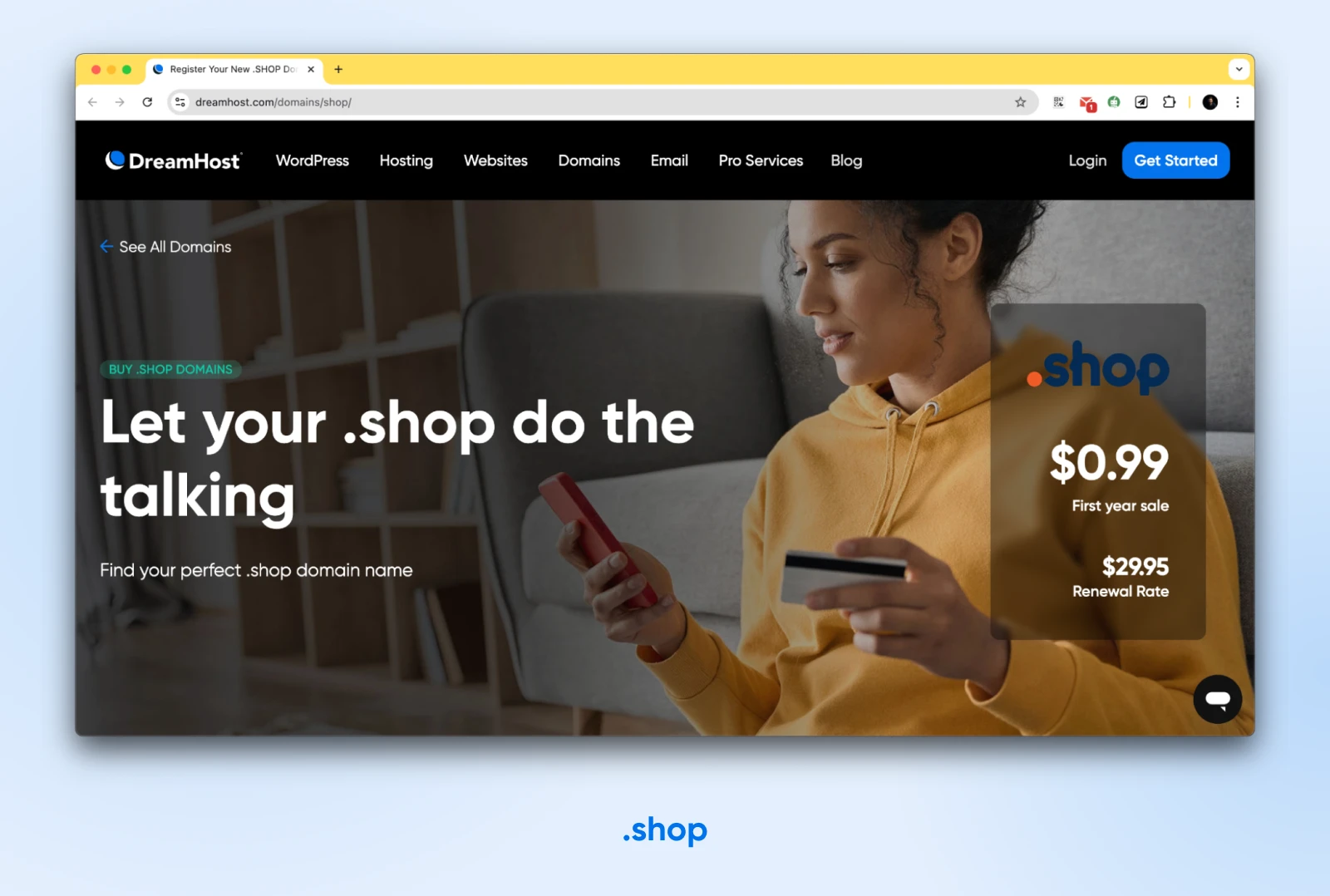
If you run an online store or are a small online retailer, .shop is an excellent domain extension.
It’s versatile, signals to visitors that you’re an online business, and may even serve as a call to action.
.shop is also easy to understand. It’s a somewhat universal term, with consumers from around the globe recognizing that you can use the site to purchase goods, products, or services.
.co
When most .com domains are taken, the .co domain — the country code for Colombia — turns out to be a great alternative.
It works like a shortened version of .com. It’s flexible and suitable for companies of all types and sizes. This might be the next best option if your ideal .com is already taken.
.net
The .net extension was part of the original mid-1980s group of gTLDs alongside .com and .org, and it remains one of the internet’s largest, with 12.5 million registrations as of June 30, 2026, per the Domain Name Industry Brief (Q2 2026).
It doesn’t carry quite the instant recognition of .com, but it’s a trusted, credible fallback — especially for tech companies, network services, and any business whose ideal .com is taken.
.org
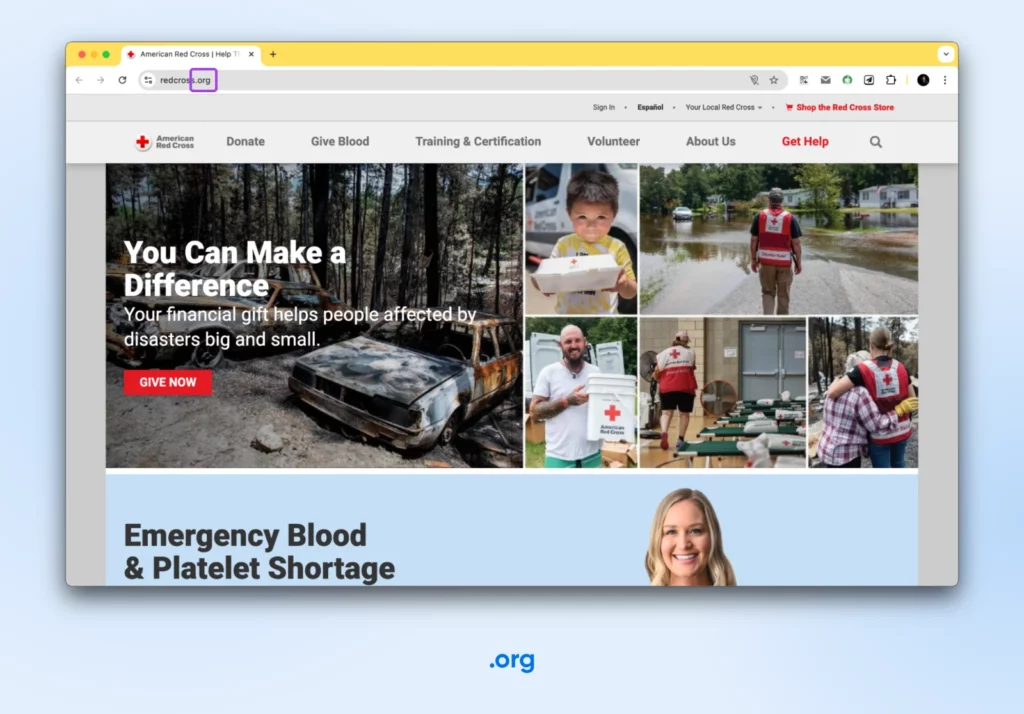
The .org extension is intended for non-profit organizations looking to promote their cause and make their site easy to find. Well-known examples include the Red Cross and the World Wildlife Fund. If you are a non-profit, pick a .org to establish instant credibility.
.io, .tech, or .ai
For tech startups looking for a hip, modern vibe, .io (British Indian Ocean Territory) or .tech can be great options. They’re popular with software companies, apps, and developer tools, and they communicate that you’re a tech-forward business.
Then there’s .ai. Originally Anguilla’s country-code TLD, .ai has become a popular choice for artificial intelligence companies. Unlike many ccTLDs, .ai registration is unrestricted, so anyone worldwide can register one. If AI is your product, an .ai domain says so before visitors read a single word.
.xyz
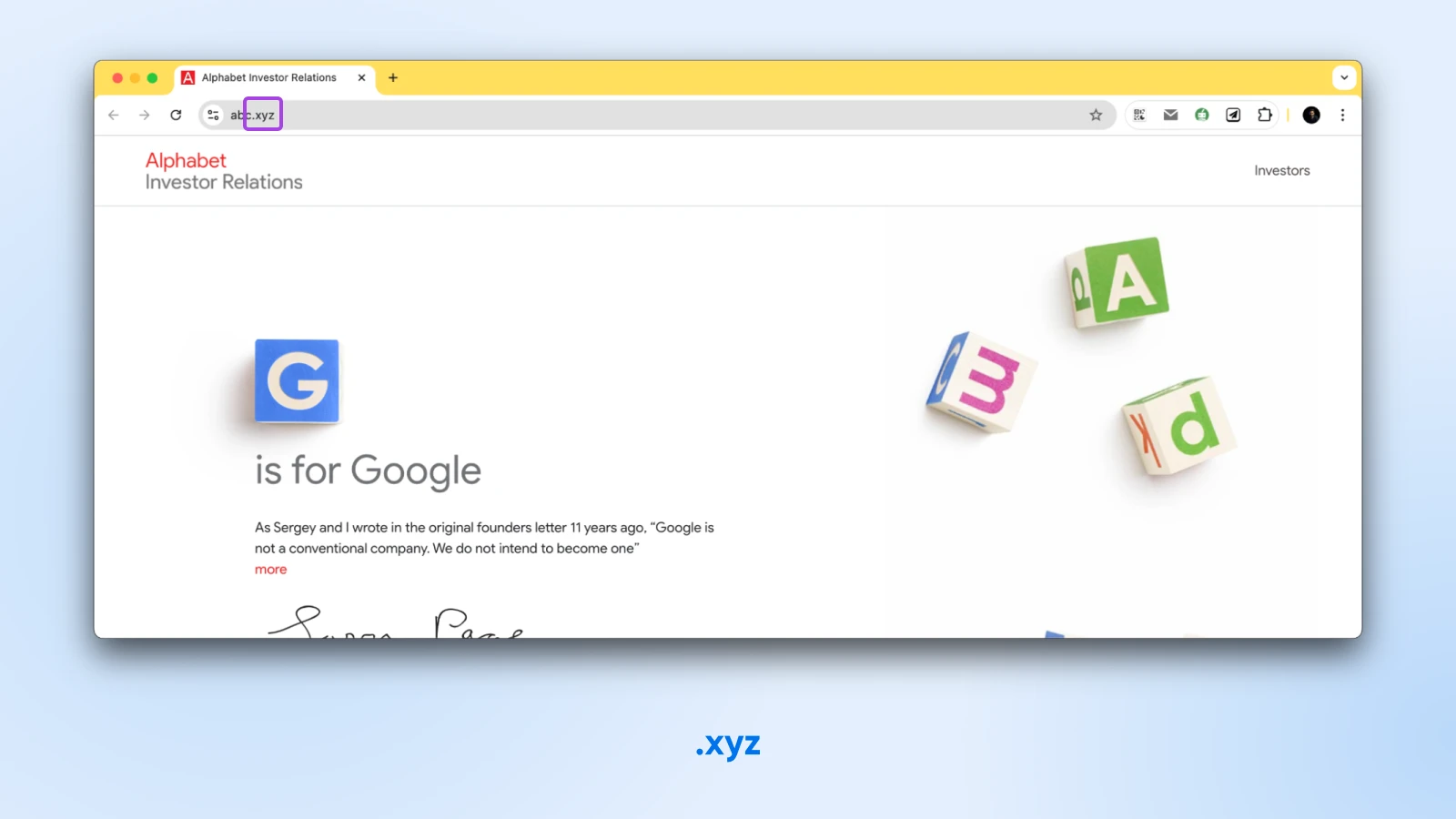
The .xyz domain extension has become one of the most successful new TLDs, used by large conglomerates like Google’s parent company Alphabet and Block. From our observation, it’s often ideal for hip startups.
.us, .ca, .eu, .au, etc.
If you still can’t find the perfect domain with the domain extensions above, you can also go with country extensions.
Country-code extensions are a good choice if your business has strong ties to a geographic area. They’re more trusted and memorable than new niche extensions.
One caveat: many ccTLDs have eligibility rules. For example, .us requires a bona fide U.S. presence, and .it is limited to registrants in the European Economic Area and a few neighboring states, while others (like .co, .io, and .ai) are open to anyone worldwide. Check the registry’s requirements before you fall in love with a country-code name.
Other extensions commonly used by particular industries include:
- E-commerce businesses: .shop, .store, .shopping
- Tech companies and apps: .tech, .app, .digital, .io
- Legal practices: .law, .legal, .attorney
- Business services: .marketing, .consulting, .solutions
- Beauty industry businesses: .beauty, .hair, .makeup
- Photographers and artists: .photography, .photos, .photo, .gallery
- Investment and VC firms: .ventures, .capital, .fund
- Real estate industry: .properties, .land
- News and publishing businesses: .media, .news, .press
- Food service businesses: .restaurant, .catering
The main benefit of these niche extensions is that they clearly communicate what your business does at a glance.
Instead of JoesRepairShop.com, you could use JoesRepair.shop or even just Joes.repair.
The only downside is that people aren’t used to seeing these extensions. Does that mean you should disregard them altogether? Not at all.
You may need to do extra marketing for them if you’re an early adopter of these extensions. However, once these become common, those drawbacks should diminish.
Can you create your own domain extension?
Yes, you can create your own domain extension (also called a custom domain ending), but you can’t simply buy one. You apply to ICANN to become a registry operator, and only during an official application round. The current window, ICANN’s New gTLD Program 2026 Round, runs April 30 through August 12, 2026, with an expected evaluation fee of USD 227,000.
That distinction matters. As ICANN’s own FAQ puts it, “An applicant for a new gTLD is, in fact, applying to create and operate a registry business.” You wouldn’t just own yourname.brand — you’d run the infrastructure and policies behind every domain ending in .brand.
The costs reach well beyond the expected USD 227,000 evaluation fee: applicants typically budget for legal support, technical setup, and an ICANN-evaluated registry service provider (RSP) or specialist consultancy to run the back end. Approval isn’t guaranteed, either, and ICANN expects evaluation of the 2026 Round to continue well past the application window, into 2027 and beyond. Applications aren’t accepted outside these windows: this is a rounds-based program, not a rolling one.
In practice, custom extensions belong to global brands (think .google and .apple) and companies whose business is domains. For a small business, the smart move is the opposite: register a great name under an existing extension and let someone else run the registry.
Avoid meme and obscure TLDs
There are hundreds of new niche domain extensions available today, like .space, .fun, .ninja, .luxury, etc. While one of these can be a playful, memorable choice, it’s usually best for small businesses to steer clear.
The main problem with obscure TLDs is that most people still aren’t very familiar with them. So if you tell someone your domain is YourBusiness.ninja, they’re not going to subconsciously register your business name unless, of course, you deal in products related to ninjas.
These TLDs can also look gimmicky or amateurish, undermining your company’s credibility. They’re better suited for blogs, side projects, and personal sites than for professional companies trying to establish authority in their industry. That’s also why you won’t see many big corporate sites using them yet.
Simply put, don’t make it hard for people to find you online.
The exception might be if you find an obscure TLD that’s a perfect, super memorable fit for your brand voice.
For example, a trendy coffee shop could pull off a domain like JoesBrews.coffee, or a jewelry store could use JanesBling.jewelry. That said, for most small businesses, it’s wiser to stick to the more common, trusted options.
3 tips for choosing your domain name extension
Choosing a domain name for your business is a big deal, so it’s important to give it a lot of thought and consideration. To help you with this, we’ve compiled a list of tips for choosing the perfect domain.
1. Explore all options to find the perfect domain
One common mistake people make when choosing a domain extension is assuming that all .com domains are available. This is not always the case.
In fact, most short, common-word .com names have already been registered. If you’re having trouble finding an available .com domain, you do have some options in domain aftermarkets or hiring a domain broker to help find and facilitate a domain transaction. These are places where you can also sell your domains after you have determined a value.
However, if you cannot make any headway here, using a different extension is a strong secondary option.
For instance, you could try your business’s domain name with the .online extension. You can also get more granular than that. For example, if you’re an online retailer, you could try .shop.
2. Choose an extension that suits your website’s content
Another mistake is choosing a domain extension that doesn’t match your website’s content. For example, if you’re creating a website about travel, .travel would be a good fit.
Choosing an extension that accurately represents your website’s content helps avoid confusion so people can find what they’re looking for.
We recommend considering your website’s purpose and audience. This will help you narrow down your options and choose an extension relevant to your content.
3. Make sure your domain name is memorable
Some people choose domain extensions that are too long or difficult to remember.
While you want an extension that represents your company and its services, you also want one that’s memorable.
The same is true for ensuring your domain is easy to say aloud. If someone wants to give out your domain while having a conversation, it should be shareable.
How to search for domain extensions
Before registering your domain name and extension, make sure it’s available for purchase.
For example, suppose you’re registering a .com domain. In that case, you can only register a name that has not already been taken.
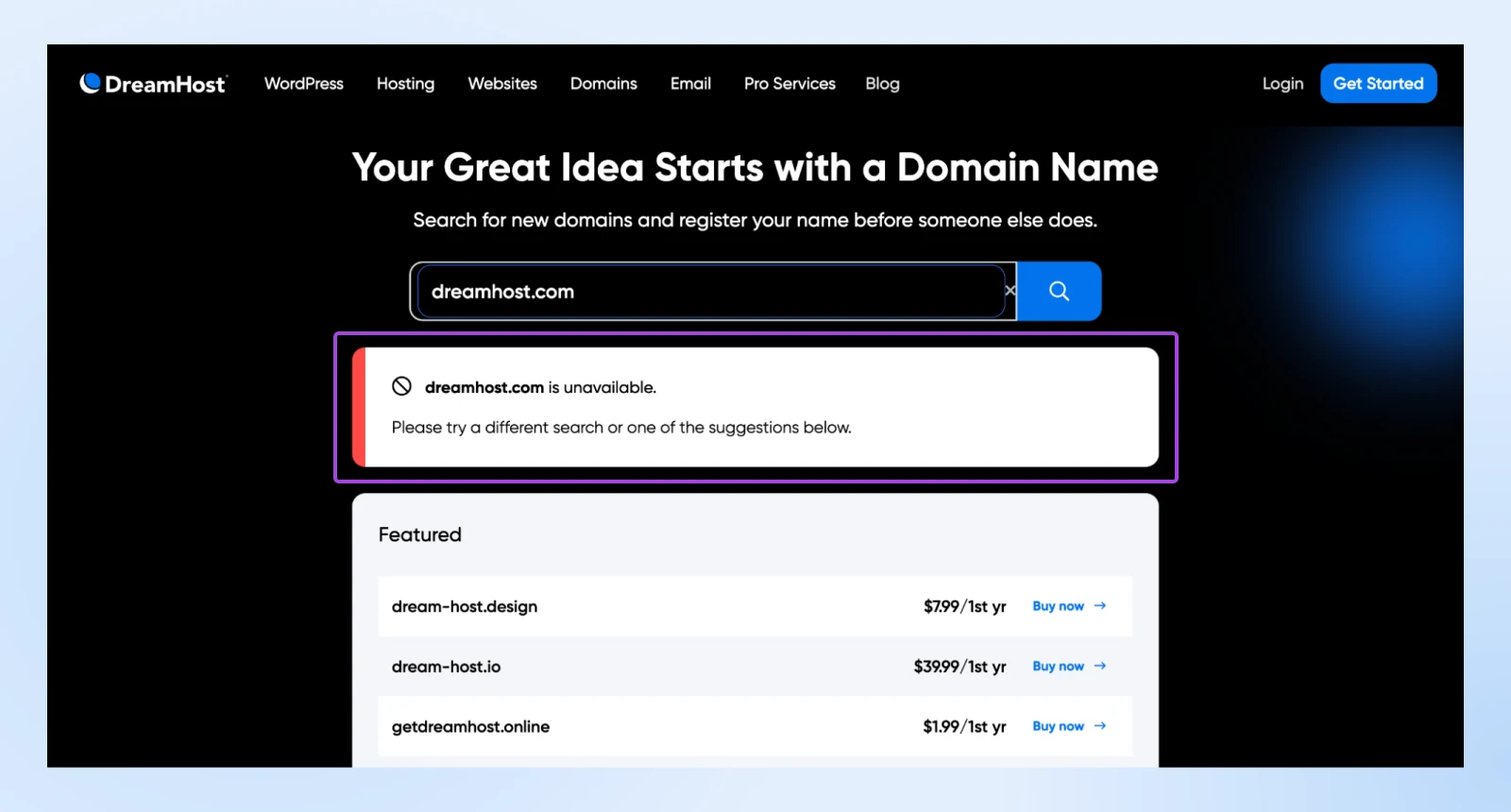
You can purchase a domain name and extension from various places, including domain registrars like DreamHost.
The important factors with domain registrars are:
- Trustworthiness of the registrar
- Any first-year promotions
- Annual renewal prices after the first year
Ask yourself: How long has this registrar been in business? Do they have good reviews?
In 2020, during the COVID-19 pandemic, some registrars (like Namecheap) temporarily banned registering virus-related domains.
A trusted domain registrar for over 25 years
Many web hosting companies provide domains as part of their hosting packages.
At DreamHost, when you register a domain name, you also get free privacy protection on select domains.
To check if a domain name is available on DreamHost, you can use our Domain Name Search tool. Simply enter the domain name you want to register, and we’ll let you know if it’s available.
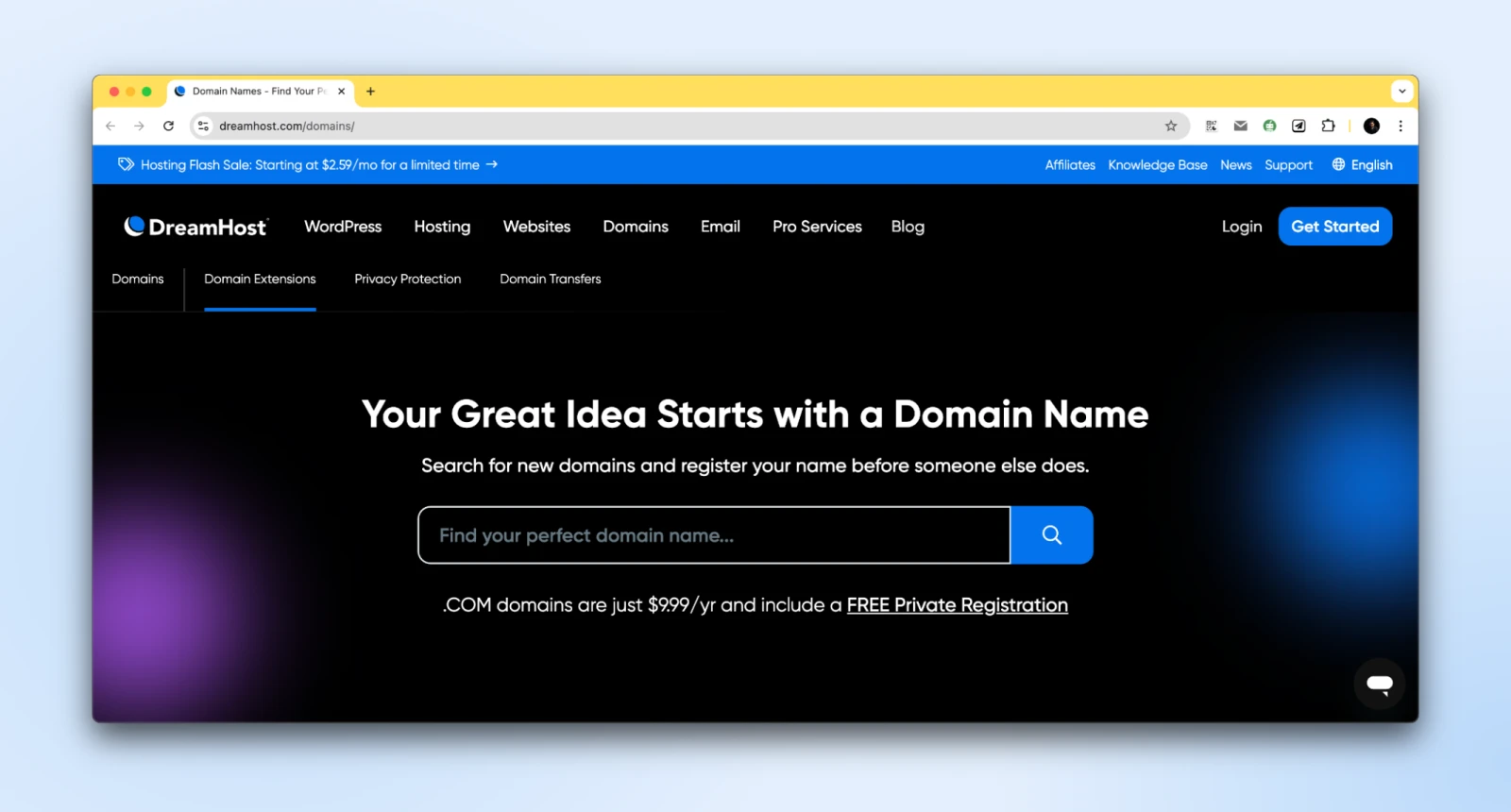
If the domain name is available, you can add it to your cart and begin registration.
However, if the domain name is already registered, you’ll need to choose a different one for your website.
In most cases, you can pay for your domain yearly.
Once your payment is processed, your domain will be registered, and you can start building your website.
At DreamHost, we give you a free domain name when you purchase an annual web hosting plan. However, you can also buy a domain from DreamHost without having a hosting plan with us.
We offer competitive pricing on all our domains, so you can register the perfect domain name for your website without breaking the bank. You can also transfer your domain name to DreamHost if you’re unhappy with your current registrar.
Domain extension FAQs
At this point, you have a strong grasp of domain name extensions. However, to ensure we’ve covered all the vital information, let’s wrap up with some FAQs.
How important is it to choose the right domain extension?
Choosing the right domain extension is essential for building a successful online presence. This extension can indicate your site’s content and increase your site’s credibility. By taking the time to research your options, you can set your website up for success.
Should you use a new TLD for your website?
The answer to this question depends on a few factors. First, you should consider your target audience. If they’re familiar with the internet, using a new domain name extension shouldn’t be a problem.
However, if your target audience is less internet-savvy, they may have difficulty remembering or finding your website if you use a new TLD.
Also, consider your budget when deciding whether or not to use a new TLD. New TLDs can be more expensive than traditional ones, so weigh the cost against the potential benefits.
Can I create my own domain name extension?
Yes, but instead of buying one from a registrar, you must apply to ICANN to operate a registry, and only during an official application round. The 2026 Round window runs April 30 through August 12, 2026, with an expected evaluation fee of USD 227,000. See the full breakdown above.
What is the most popular domain extension?
The most popular domain extension is .com, with 166.6 million registrations as of June 30, 2026, per the Domain Name Industry Brief. But it’s far from your only option: roughly 1,430 TLDs are delegated in the IANA root zone as of February 2026 (per Wikipedia’s TLD list), and DreamHost alone offers 400+.
If you’re unsure which domain extension to choose, we recommend starting with a .com domain. If you’re looking for something more unique or specific, there are plenty of other options for more niche sites.
Can you change your domain name extension?
Yes, you can change your domain name extension. However, it’s important to choose the right extension for your website from the start. Once you’ve chosen an extension, changing it can be difficult and expensive.
If you’re unsure which domain extension to choose, we recommend doing some research. Once you’ve found the perfect extension, register it as soon as possible to avoid any potential problems.
How much does a domain extension cost?
Domain name prices vary depending on the extension you choose. Some domain extensions, like .com and .net, are less expensive than others, like .biz and .info.
Rather than budgeting from a generic figure, compare four numbers for your chosen TLD: the first-year price, the renewal price, any privacy-protection fee, and the cost to transfer the domain out later. Registrars often discount the first year, so the renewal price is the one that matters long term.
To get an accurate estimate of what a domain name will cost you, check with your chosen registrar.
What is WHOIS privacy protection?
WHOIS privacy protection is a service that hides your personal information from public view. This feature is important because when you register a domain name, your personal information (such as your name, address, and email address) is made available to anyone who looks it up.
With domain privacy protection, your information is hidden from public view, keeping you safe from spam and identity theft.
DreamHost offers WHOIS privacy protection on select domains. If you want to keep your personal information safe and secure, choose a domain with this service.
Ready to register your perfect domain?
As you can see, a lot goes into choosing the perfect domain extension for your small business website. However, with the tips and best practices outlined in this guide, you can find an option that serves your business well.
If you can’t get a website with a .com domain extension, look into popular alternatives like .co, .net, or country-specific extensions to maintain credibility and recognition.
And if you are marketing yourself as a hip, modern-day business, it makes sense for you to try out the new TLDs as well. Nonetheless, the most important thing is to get that perfect domain locked down before someone else does.
Because while you can always change your website design, your logo, and even your prices, your domain will be the one constant that carries your brand for years to come. It’s the online identity you’ll use to build customer recognition and SEO authority.
So don’t let analysis paralysis hold you back. Once you’ve found an available domain that checks all the boxes, it’s time to make it yours. If you buy multiple variations, set them up to redirect to your primary domain.
Need domain registration and reliable hosting for your new website? DreamHost does both.
DreamHost’s domain search tool helps you find your perfect domain across a large variety of domain extensions without having to go through different websites.
So go out there and give it a shot today!

Domains
Your Great Idea Starts with a Domain Name
A custom domain gives your site a professional look, strengthens your brand, and helps visitors find you on the web.
See More
Did you enjoy this article?


 English
 Dutch
Dutch French
 German
 Italian
 Japanese
 Korean
 Portuguese
 Russian
 Spanish