
What Is Nginx? Web Server, Proxy, and Load Balancer


Nginx is open-source server software that fills four roles inside a single binary: web server, reverse proxy, load balancer, and HTTP cache. Its event-driven, non-blocking architecture lets a small pool of worker processes handle tens of thousands of concurrent connections on modest hardware, which is the reason large sites adopted it in the first place. The software was created in 2002 by Russian engineer Igor Sysoev, released publicly in October 2004, and now powers roughly a third of the web server market according to W3Techs data from December 2025.

The pronunciation is “engine-x,” and the project ships under the 2-clause BSD license, so it is free for personal and commercial use. A paid commercial subscription called NGINX Plus exists for organizations that want vendor support and a few enterprise features, but the open-source build covers the use cases described below.
Origins and Architecture of Nginx

Igor Sysoev wrote Nginx while working as a system administrator at Rambler, a major Russian web portal. He needed a server capable of handling 10,000 simultaneous connections on a single machine, a benchmark known in the industry as the C10K problem. The dominant server at the time, Apache, allocated a process or thread for each connection. With every process consuming roughly 5 to 10 MB of memory, a thousand concurrent users meant several gigabytes of RAM spent on connection handling alone. Sysoev wanted a different model.
His answer was an asynchronous, event-driven design. Nginx runs a master process that reads configuration and manages a fixed pool of worker processes. Each worker runs a single-threaded event loop, watching file descriptors with the operating system’s efficient notification interfaces (epoll on Linux, kqueue on BSD). When a new request arrives or a backend responds, the loop fires the corresponding handler, then returns to watching. Connections are decoupled from threads, so a worker can juggle thousands of open sockets without spawning anything new. Memory use stays flat as concurrency rises.
In March 2019, F5 Networks (now F5, Inc.) acquired NGINX, Inc. for approximately $670 million, bringing the commercial entity under a US-based parent. The acquisition was a turning point. In February 2024, longtime core developer Maxim Dounin announced freenginx, a community-led fork started after a governance dispute with F5 over the handling of an experimental HTTP/3 security release. Freenginx uses the same BSD license and is maintained on a separate Mercurial repository. Two other Nginx-derived projects matter for context: Angie, maintained by former Nginx engineers, and OpenResty, which embeds the LuaJIT runtime for scripting at the request level. Most production deployments still run mainline Nginx from F5, but the existence of credible forks keeps the project responsive to its user base.
The default worker count equals the number of CPU cores, configured by the worker_processes auto; directive. Each worker can hold tens of thousands of open connections, governed by the worker_connections setting in the events block. With those two values tuned to the hardware, a single mid-range server routinely handles hundreds of thousands of requests per second on static content. The architecture is also the reason Nginx is a natural fit for containers: a stripped-down Alpine-based image runs in well under 50 MB of resident memory at idle.
Nginx as a Web Server

The simplest possible web server configuration in Nginx looks like this:
server { listen 80; server_name example.com www.example.com; root /var/www/example.com; index index.html; location / { try_files $uri $uri/ =404; } }
That block tells Nginx to listen on port 80, match requests for two hostnames, serve files from /var/www/example.com, and fall back to a 404 if the requested file is missing. Each server { … } block defines a virtual host. Multiple server blocks can sit inside the same http context, letting one Nginx process serve dozens of sites side by side.
For static assets such as HTML, CSS, JavaScript, images, and fonts, Nginx is fast. Sendfile, gzip compression, and HTTP/2 are one directive each. Where things change is dynamic content. Nginx does not execute PHP, Python, Ruby, or Node.js code on its own. It hands those requests to a separate process manager such as PHP-FPM, uWSGI, or a backend HTTP service, then returns the rendered response to the client. The pattern keeps the front-end server lean and lets the application runtime scale independently.
Virtual hosting deserves a closer look because it is one of the most common reasons people install Nginx in the first place. By matching the Host header against server_name values, a single Nginx process can route traffic for unrelated domains to entirely separate document roots, log files, and TLS certificates. Wildcard matches (such as *.example.com) are supported, as are regular-expression server names. When two server blocks could match the same request, the most specific match wins, with explicit names beating wildcards and wildcards beating the catch-all default_server.
Nginx as a Reverse Proxy
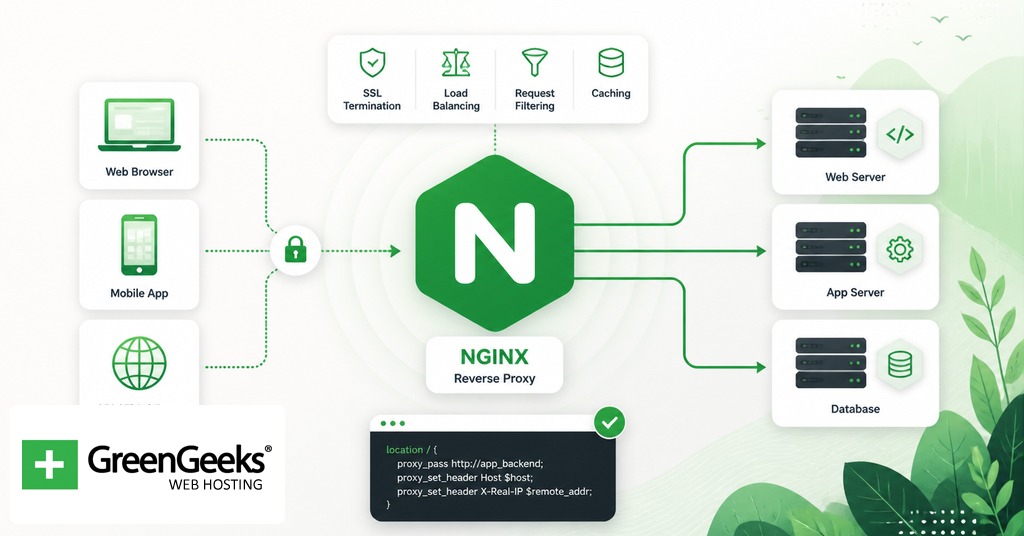
Picture a Node.js application running on port 3000 inside a container. It serves the application logic correctly, but it is not exposed to the public internet, has no TLS certificate, and cannot easily share a hostname with other services on the same machine. Nginx in front of it solves all three problems at once.
server { listen 443 ssl http2; server_name api.example.com; ssl_certificate /etc/letsencrypt/live/api.example.com/fullchain.pem; ssl_certificate_key /etc/letsencrypt/live/api.example.com/privkey.pem; location / { proxy_pass http://127.0.0.1:3000; proxy_set_header Host $host; proxy_set_header X-Real-IP $remote_addr; proxy_set_header X-Forwarded-For $proxy_add_x_forwarded_for; proxy_set_header X-Forwarded-Proto $scheme; } }
A reverse proxy is a server that accepts client requests and forwards them to one or more backend services, returning the backend’s response to the client. The client never speaks to the backend directly. In the example above, browsers hit Nginx on port 443, Nginx terminates TLS, and only plain HTTP traffic crosses the loopback interface to Node. The proxy_set_header lines preserve the original client information so the backend can log or rate-limit correctly. The same pattern works in front of Apache, a Python WSGI server, a Go binary, or anything that speaks HTTP. Beyond TLS termination, the reverse-proxy layer adds a place to enforce rate limits, strip headers, route by path, and absorb traffic spikes before they reach application code.
Nginx as a Load Balancer
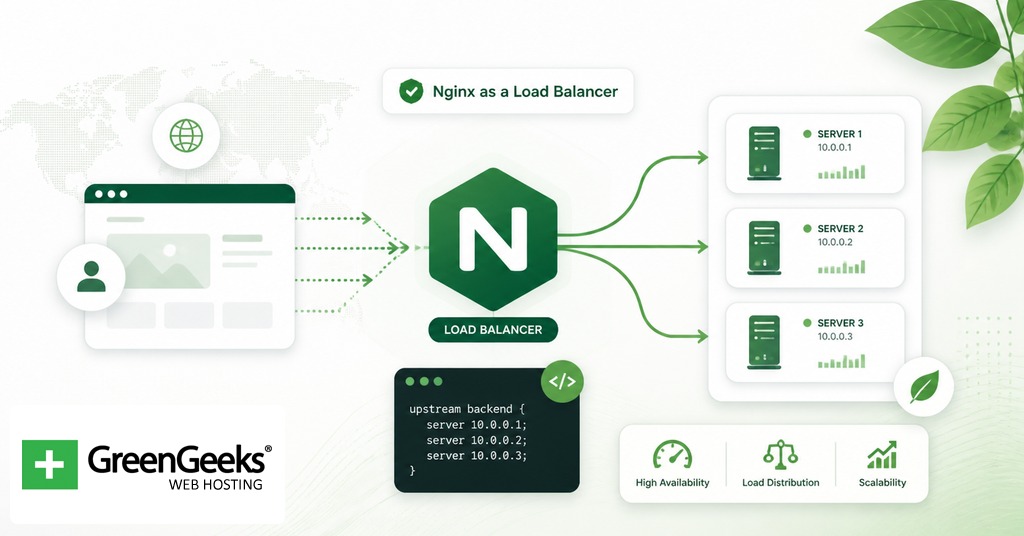
The directive that turns a reverse proxy into a load balancer is upstream. It declares a named pool of backend servers, and the rest of the config refers to that pool by name.
upstream app_backend { least_conn; server 10.0.0.11:8080 weight=2; server 10.0.0.12:8080; server 10.0.0.13:8080 backup; } server { listen 80; server_name app.example.com; location / { proxy_pass http://app_backend; } }
In this configuration, traffic to app.example.com is distributed across two active backend servers, with the third held in reserve as a backup. The weight=2 line tells Nginx to send roughly twice as many requests to the first server as to the second. The least_conn directive at the top of the upstream block changes the balancing method.
Nginx Open Source supports several balancing methods out of the box:
Round robin, the default, distributes requests in order across the pool.
Least connections sends each new request to the server with the fewest active connections.
IP hash routes requests from the same client IP to the same backend, which is useful for session affinity.
Weighted distribution sends proportionally more traffic to higher-weighted servers.
If a backend returns errors or stops responding, Nginx marks it unhealthy and stops routing traffic to it for a configurable period. NGINX Plus adds active health checks (probing backends on a schedule rather than waiting for failed requests) and dynamic reconfiguration of the upstream pool through a runtime API.
Nginx as an HTTP Cache
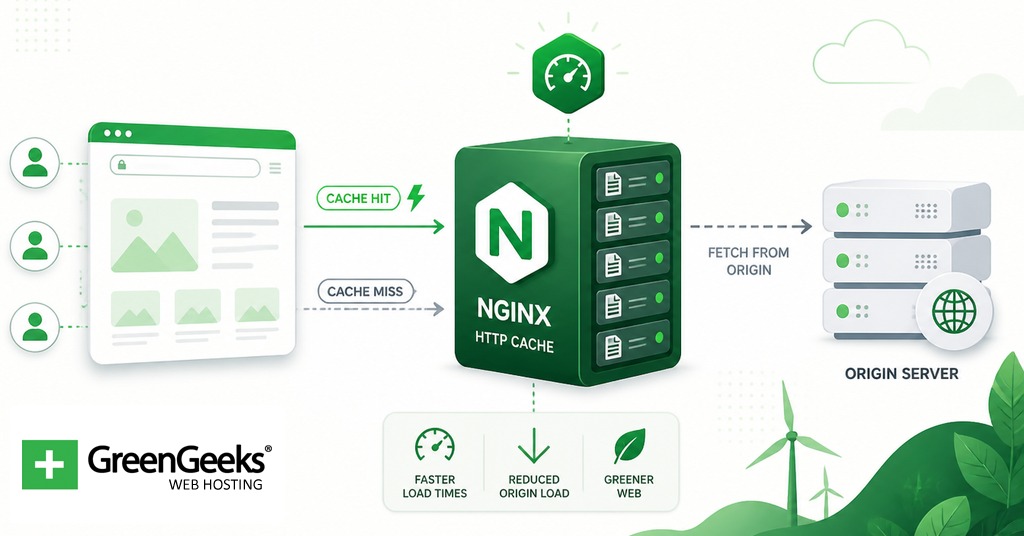
Caching speeds up responses and reduces backend load, with the cost of returning slightly stale content if the cache lifetime is set wrong. Nginx implements a disk-backed HTTP cache layered on top of its reverse-proxy module, so the same instance that proxies to a backend can also store and replay responses.
proxy_cache_path /var/cache/nginx levels=1:2 keys_zone=app_cache:10m max_size=10g inactive=60m use_temp_path=off; server { listen 80; server_name shop.example.com; location / { proxy_cache app_cache; proxy_cache_valid 200 302 10m; proxy_cache_valid 404 1m; proxy_cache_use_stale error timeout updating; add_header X-Cache-Status $upstream_cache_status; proxy_pass http://127.0.0.1:8080; } }
Several pieces are doing work here. The proxy_cache_path directive (placed in the http context) reserves a disk directory for cached responses, splits files across a two-level subdirectory hierarchy for fast lookups, and allocates 10 MB of shared memory for cache keys. The keys_zone name is what proxy_cache app_cache references inside the location block. proxy_cache_valid sets per-status-code lifetimes, while proxy_cache_use_stale lets Nginx serve cached content if the backend is briefly unavailable. The custom X-Cache-Status header is a debugging convenience: every response will say HIT, MISS, BYPASS, EXPIRED, or STALE, which makes cache behavior observable from a browser’s network tab.
For sites that already sit behind a CDN, an Nginx-level cache acts as a second tier closer to the origin and is most useful for personalized or non-public assets the CDN cannot store. Cache purging in the open-source build is manual, typically handled by deleting files under the cache directory or using third-party modules; the commercial subscription includes a purge API for finer control.
Comparison: Nginx vs Other Web Servers
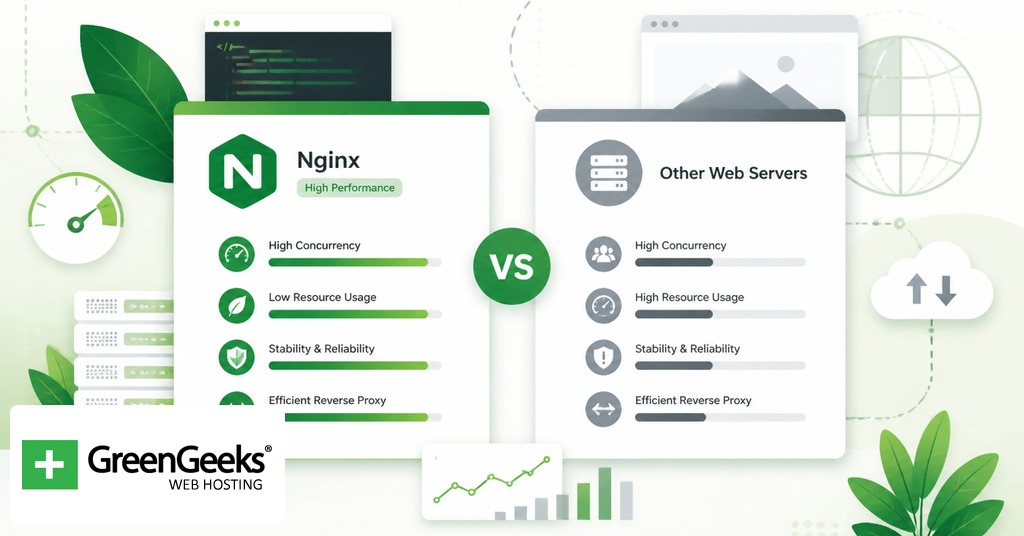
The web-server space has a handful of mature options, each with a different design center. The table below summarizes how Nginx compares.
Server
Architecture
License
Config style
HTTP/3 support
Best for
Nginx
Event-driven, async workers
2-clause BSD
Block-based nginx.conf
Stable since 1.27
High-traffic static sites, reverse proxy, load balancing
Apache HTTP Server
Process or thread per request (MPMs)
Apache 2.0
Block-based httpd.conf, plus per-directory .htaccess
Via mod_http3 (third-party)
Shared hosting, applications relying on .htaccess
Caddy
Event-driven, written in Go
Apache 2.0
Caddyfile or JSON
Stable since 2.6
Small deployments wanting automatic HTTPS
LiteSpeed
Event-driven, multi-threaded
OpenLiteSpeed: GPLv3, Enterprise: proprietary
Apache-compatible plus GUI
Stable since 5.4
WordPress hosts using LSCache
IIS
Hybrid, integrated with Windows
Proprietary, bundled with Windows Server
XML (web.config) plus GUI
Built-in (Windows Server 2022+)
.NET applications on Windows
Benchmarks vary by workload, but published static-file numbers from 2026 testing put Nginx around 310,000 requests per second using roughly 6 MB of RAM, with Caddy nearby at 285,000 requests per second using about 28 MB. Apache, when configured with the event MPM and PHP-FPM, closes much of the gap on dynamic workloads but still uses more memory under heavy concurrency. The right choice depends on what runs behind the server: shared-hosting environments often pick Apache for its .htaccess flexibility, container-native deployments often pick Caddy for built-in Let’s Encrypt automation, and high-throughput proxy and balancing layers usually pick Nginx. A pragmatic option that shows up in many production stacks is layering them: Nginx at the edge for TLS termination and load balancing, with Apache or another runtime sitting behind it for application logic. The two servers cooperate well because they solve different problems.
Installation and Configuration Pointers

Nginx is packaged for every major Linux distribution and ships as an official Docker image. Three common starting points:
# Debian, Ubuntu sudo apt update && sudo apt install nginx # RHEL, Rocky, Alma sudo dnf install nginx # Docker docker pull nginx:latest
After installation on Debian or Ubuntu, the main configuration file lives at /etc/nginx/nginx.conf. Per-site configurations are placed in /etc/nginx/sites-available/ and activated by symlinking them into /etc/nginx/sites-enabled/. The default web root is /var/www/html. The service is controlled with systemctl start nginx, systemctl reload nginx (which reloads config without dropping connections), and nginx -t (which tests config syntax before applying). Inside the official Docker image, the same file path holds the config, and the document root is /usr/share/nginx/html. Custom configuration is usually mounted in via a volume rather than baked into a derived image.
For production setups, the standard hardening steps are enabling HTTP/2 or HTTP/3, redirecting HTTP to HTTPS, configuring sensible TLS protocol and cipher lists, and turning on access and error logging at the right verbosity. The official documentation at nginx.org and docs.nginx.com covers these in depth.
Frequently Asked Questions

Is Nginx free?
Yes. Nginx Open Source is released under the 2-clause BSD license, which permits commercial and personal use without royalties. The paid product, NGINX Plus, is a separate subscription from F5 that adds enterprise features and vendor support, with pricing reported around $2,500 per instance per year for the entry tier.
What is the C10K problem?
The C10K problem is the engineering challenge of designing a single server capable of handling 10,000 concurrent network connections. The phrase comes from a 1999 essay by Dan Kegel and became the design target for Nginx in 2002. Moving from one-process-per-connection to event-driven I/O was the technical answer.
Can Nginx run PHP?
Nginx does not execute PHP itself. It forwards PHP requests to an external FastCGI process, almost always PHP-FPM, using the fastcgi_pass directive in a location block. PHP-FPM runs the PHP interpreter, executes the script, and returns the rendered output for Nginx to send back to the client.
What is freenginx?
Freenginx is a community fork of Nginx announced on February 14, 2024 by Maxim Dounin, one of the project’s longest-serving developers. The fork was prompted by a governance disagreement with F5 over how an experimental HTTP/3 security issue was disclosed. It uses the same BSD license and is hosted on a Mercurial repository at freenginx.org.
What is the difference between Nginx and Nginx Plus?
NGINX Plus is the paid version, built on the same codebase but bundled with extras: session persistence, active health checks for upstream pools, dynamic reconfiguration through a runtime API, live activity monitoring dashboards, and 24/7 commercial support from F5. The open-source build is sufficient for most workloads; Plus is aimed at organizations that want vendor accountability and the additional load-balancing features.



 English
 Dutch
Dutch French
 German
 Italian
 Japanese
 Korean
 Portuguese
 Russian
 Spanish